
The desktop FDM 3D printing landscape is going through a massive evolution. For years, multi-filament printing was defined by a frustrating compromise: long cycle times, complicated mechanics, and towers of wasted plastic. When Creality dropped hints about its next-generation technology earlier this year, the maker community took notice. Now, following official reveals at major global exhibitions like IFA Berlin 2026 and Comic Con Africa 2026, the wraps are officially off the Creality K3 Series.

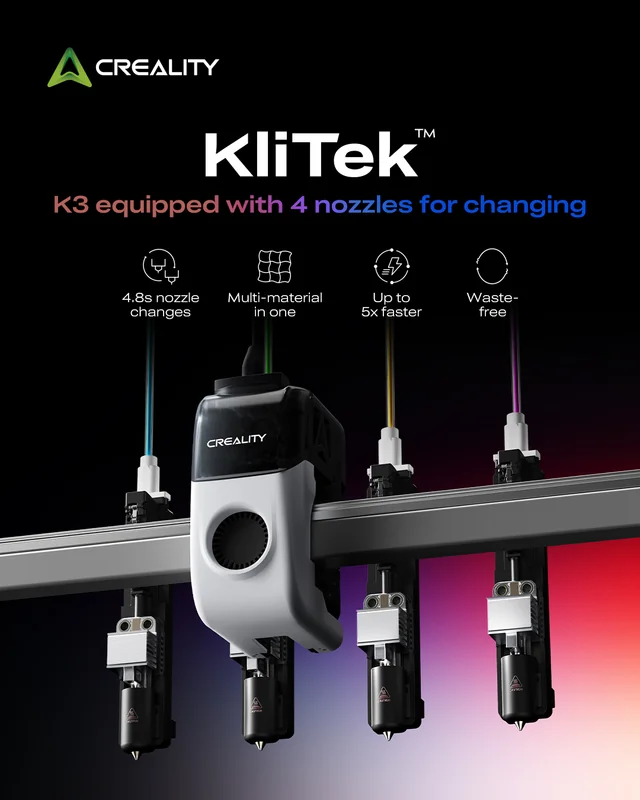
Powered by the highly anticipated KliTek™ multi-nozzle architecture, the K3 is not just a minor refresh of the incredibly popular K series. It represents a fundamental shift in how multi-material, multicolor, and variable-fidelity desktop printing works. Instead of relying on a single nozzle fed by an external multi-filament hub (which requires constant, wasteful purging) or a bulky, expensive multi-toolhead system, Creality has designed an elegant, rapid-swapping, multi-nozzle system that drops into a single, light toolhead.
If you are wondering whether to jump on the current multi-material options or hold out for Creality’s latest powerhouse, this comprehensive, deep-dive guide breaks down everything we know about the pre-launch specifications, underlying mechanics, and disruptive features of the upcoming Creality K3.
The Core Philosophy: What is Creality KliTek?

To truly appreciate the Creality K3, you first have to understand the technology that drives it. In the summer of 2026, Creality celebrated its 12th anniversary by unveiling KliTek™. Initially introduced as a conceptual technology, KliTek was engineered to tackle the four biggest pain points of contemporary desktop multi-material setups:
– Extreme Filament Waste: Purge blocks and prime towers can sometimes weigh more than the actual model being printed.
– Long Print Times: Pulling filament back up the Bowden tube, cutting it, feeding a new color, and purging takes a massive toll on print efficiency.
– Color Bleeding: Residual filament left inside a single nozzle frequently ruins prints, especially when transitioning from dark colors to bright white or transparent materials.
– Mechanical Complexity: Traditional multi-toolhead changers require complex physical calibration, alignment sensors, and heavy X-axes that slow down print speeds.
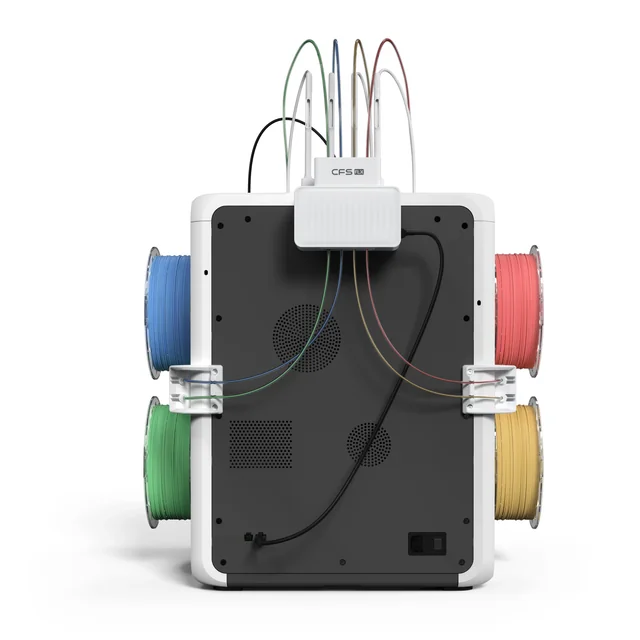
KliTek bypasses these limitations by swapping minimal changing parts—the hotends themselves—rather than shifting entire, heavy toolheads. The K3 houses an independent four-channel, four-nozzle architecture within its desktop frame. When a color or material change is triggered, the machine automatically swaps the active hotend and locks it into the primary extruder.
Because each of the four filaments has its own dedicated nozzle path, the filament never needs to be completely reloaded or purged through a shared melt zone. The system simply parks one nozzle, secures the next, and keeps printing.
Unpacking the Pre-Launch Hardware Specifications
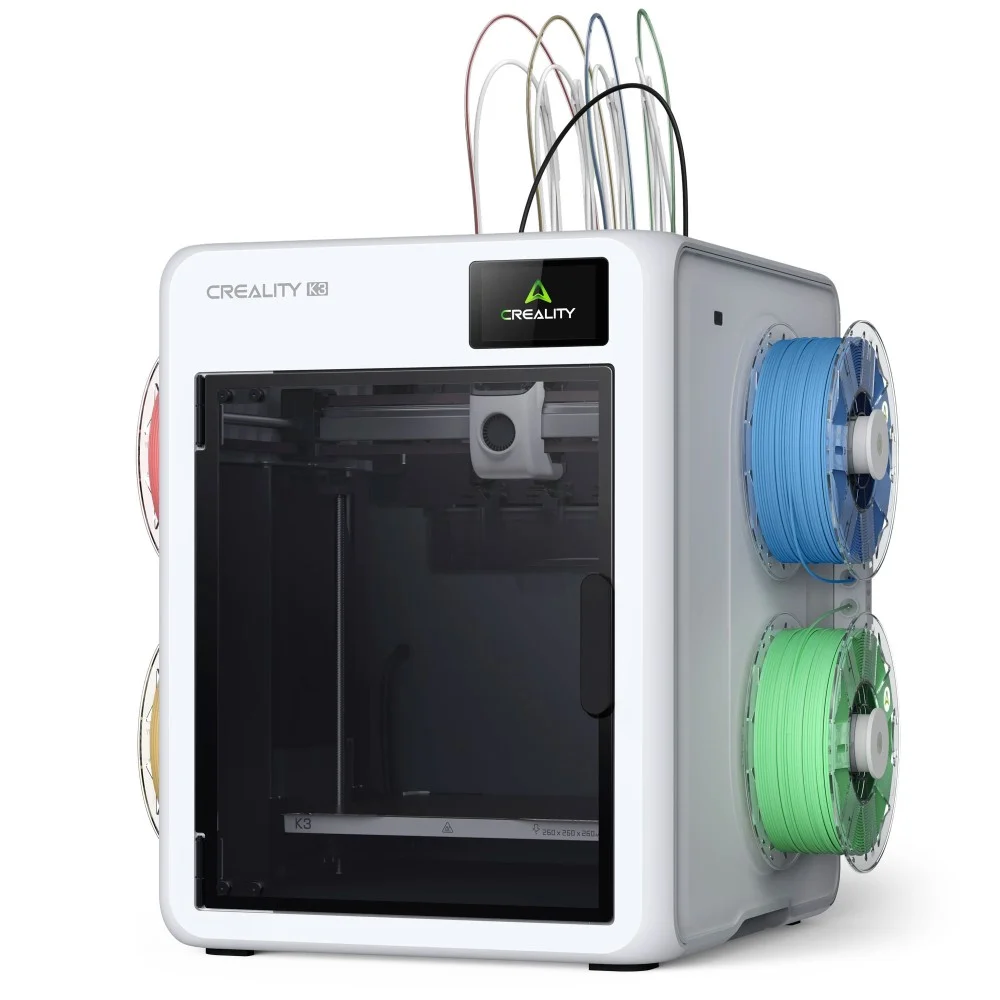
Creality recently updated its official documentation and product comparison platforms, giving us an in-depth look at the internal components and thermal capabilities of the K3 series. For makers tracking technical details, here is how the core hardware shapes up ahead of launch:
– Hotend Architecture: All-metal hotend design engineered for durability and high-temperature performance.
– Nozzle Material: Pre-installed hardened steel nozzles, ensuring the machine handles abrasive materials out of the box without premature wear.
– Maximum Nozzle Temperature: Capable of reaching up to 300°C, opening the door to advanced engineering filaments.
– Maximum Heatbed Temperature: Up to 100°C, allowing excellent first-layer adhesion for warp-prone materials.
– Filament Diameter Compatibility: Standard 1.75 mm, giving users total freedom to use third-party filaments.
– Power & Voltage Ratings: Built with high-output electronics, pulling 1350W @ 220V or 450W @ 110V (100-240V~ variants) to support rapid heat-up times.
– Control Interface: A crystal-clear 4-inch color touchscreen running a refined version of Creality OS.
– Enclosure: Featuring a striking, clean white case aesthetic with structural elements designed to keep the printing environment stable.
Main Innovations Redefining Desktop FDM
The Creality K3 isn’t just about changing colours; it introduces multi-fidelity and multi-hardness concepts that were previously restricted to industrial-grade additive manufacturing hardware.
Ultra-Low Waste, High-Speed Multicolour Printing
Traditional single-nozzle systems lose an enormous amount of time and material clearing out the old color during a filament swap. Creality claims the K3’s independent four-nozzle architecture cuts down overall print time by up to 80% during complex multi-material runs compared to traditional single-nozzle swappers. Even better, it slashes filament waste by up to 85%. A seamless nozzle change takes under 5 seconds (4.8 seconds to be exact), while a complete material alignment change clocks in at roughly 15 seconds.
Multi-Diameter “Multi-Fidelity” Workflows
One of the most exciting software-hardware integrations coming to the K3 series via the Creality Print ecosystem is the ability to mix and match nozzle sizes in a single print job. By default, the K3 ships with standard 0.4 mm nozzles, but it is fully compatible with an optional multi-nozzle kit containing 0.2 mm, 0.6 mm, and 0.8 mm variants.
This enables what industry insiders call “multi-fidelity” printing. Imagine setting your slicer to print highly detailed, ultra-smooth outer walls using a precise 0.4 mm or 0.2 mm nozzle, while simultaneously instructing the K3 to swap over to a high-flow 0.8 mm nozzle to quickly blast through internal infill layers. Creality notes this feature can boost efficiency by up to 30% on dense objects, giving you fine aesthetic details without the time penalty of small nozzles.
Multi-Hardness TPU and True Engineering Support
Printing elastomeric materials like TPU is notoriously difficult on standard tool changers because the flexible filament twists or jams in the drive gears. The K3’s KliTek toolhead features a patent-pending S-Drive feed system alongside a robust dual-power mechanical layout. Combined with a highly visible, direct filament path, this allows the K3 to smoothly process multi-hardness TPU setups. You can print rigid structural parts out of high-shore TPU and blend them smoothly into soft, flexible geometric hinges or grips within the same print block.
Furthermore, the K3 provides a straightforward layout for running complex engineering parts. Dedicated nozzles mean you can seamlessly print structural ABS, PETG, or PLA-CF while assigning an alternate nozzle to lay down specialized water-soluble PVA or breakaway support structures. Clogs are also simplified: because the nozzle assembly locks cleanly into the extruder array, clearing stuck filament is as simple as unlocking the assembly and pulling out the path directly.
Open-Source Ecosystem and Full Customization
Following in the footsteps of the K1 and K2 series, Creality is embracing power users by offering native root access right from launch. This means you can easily customize macros, optimize fluid dynamics, connect custom cameras, or integrate advanced web monitoring interfaces without fighting encrypted firmware blocks.
If you are looking for reliable high-speed desktop alternatives that are available immediately without waiting for pre-launch production windows, you can explore our full collection of current 3D printers https://3dunique.co.za/product-category/printers/ to find the perfect machinery for your active prototyping projects.