
If you’re shopping for a fast, reliable, and affordable high-speed 3D printer, the Creality K2 SE and K1 SE are two of the hottest options in Creality’s lineup. Both deliver CoreXY performance, impressive speeds, and beginner-friendly features — but they’re not identical. The K2 SE is the newest open-frame model built from the ground up for multicolor printing, while the K1 SE is a proven high-speed single-color workhorse from the K1 series.
In this in-depth Creality K2 SE vs K1 SE comparison, we’ll break down every key difference — design, speed, build volume, multicolor support, reliability, software, and real-world performance. We’ll also explain exactly what makes the K2 SE a great buy in 2026 and who should choose it over the K1 SE. By the end, you’ll know precisely which printer deserves a spot on your desk.
Design and Build Quality: Open-Frame Similarities with Smart Upgrades
Both the K2 SE and K1 SE feature an open-frame CoreXY design that keeps them compact, easy to observe during prints, and cooler-running than enclosed machines. Their footprints are nearly identical at 355 × 355 × 482 mm, making them perfect for desktop or small workshop use.
The K2 SE, however, steps up with a rigid die-cast aluminum alloy frame reinforced by corner gussets and crossbeams. This construction minimizes vibration far better than the K1 SE’s standard frame. A built-in vibration sensor paired with advanced input shaping algorithms actively cancels ringing, delivering noticeably smoother surfaces even at high speeds. The K1 SE relies more on its CoreXY kinematics but lacks the same level of active vibration compensation.
Weight is another small win for the K2 SE: 10.58 kg versus the K1 SE’s slightly heavier ~10.24–14.84 kg (depending on configuration). Both are lightweight enough to move easily, but the K2 SE feels more premium and stable right out of the box.
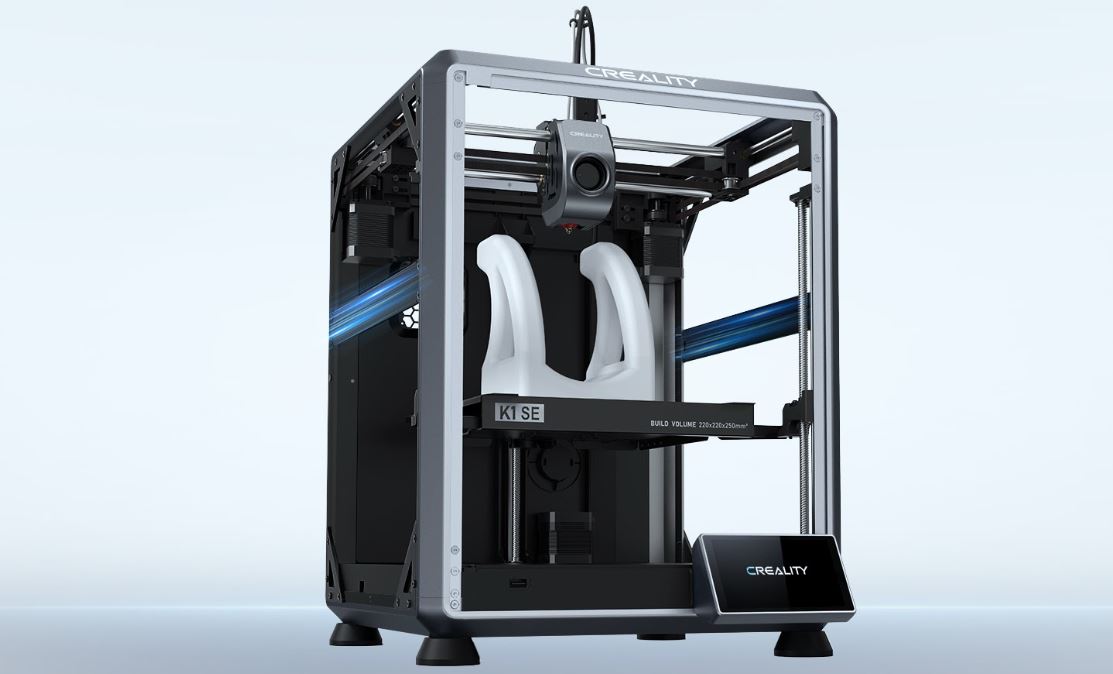
Creality K1 SE – Polyfab3D
Verdict on design: The K2 SE feels like a refined evolution — sturdier frame and smarter vibration control make it quieter and smoother in daily use.
Build Volume and Print Size: Almost Identical
- K1 SE: 220 × 220 × 250 mm
- K2 SE: 220 × 215 × 245 mm
The difference is negligible in real life — just 5 mm less in X and Z on the K2 SE. Both printers handle the same everyday projects: figurines, prototypes, functional parts, and small-to-medium models. If you occasionally need that extra 5 mm of height, the K1 SE edges ahead, but 99% of users won’t notice the gap.
Speed and Performance: K1 SE Edges Raw Numbers, K2 SE Wins Quality
Speed is where the printers diverge on paper:
- K1 SE: Max 600 mm/s, acceleration up to 20,000 mm/s²
- K2 SE: Max 500 mm/s (typical reliable high-quality speed ~300 mm/s), acceleration up to 20,000 mm/s²
The K1 SE is technically faster, but the K2 SE’s input shaping + vibration sensor combo produces cleaner results at speed. Real-world tests show the K2 SE printing a single-color 3DBenchy in ~22 minutes with excellent surface quality, while multicolor versions finish in about 1 hour. The K1 SE matches or beats that time on single-color prints but can’t match the K2 SE’s multicolor workflow without manual filament swaps.
Both support layer heights of 0.1–0.35 mm and ±0.1 mm accuracy. For most PLA, PETG, and TPU prints, you’ll get comparable quality — but the K2 SE’s rigid frame gives it a slight edge in high-speed detail retention.
The Game-Changer: Multicolor and Multi-Material Capability
Here’s where the Creality K2 SE completely pulls ahead. The K2 SE is purpose-built for multicolor printing. One Creality Filament System (CFS) unit holds 4 spools; connect up to 4 CFS units for seamless 16-color prints. An automated magnetic cutter, run-out sensor, desiccant drying, and auto-filament identification make color changes effortless with almost zero waste.
The K1 SE? Strictly single-filament. You can manually swap colors mid-print, but it’s slow, wasteful, and requires babysitting. If you love vibrant, multi-material models (think custom figurines, prototypes with brand colors, or artistic pieces), the K2 SE is in a league of its own.
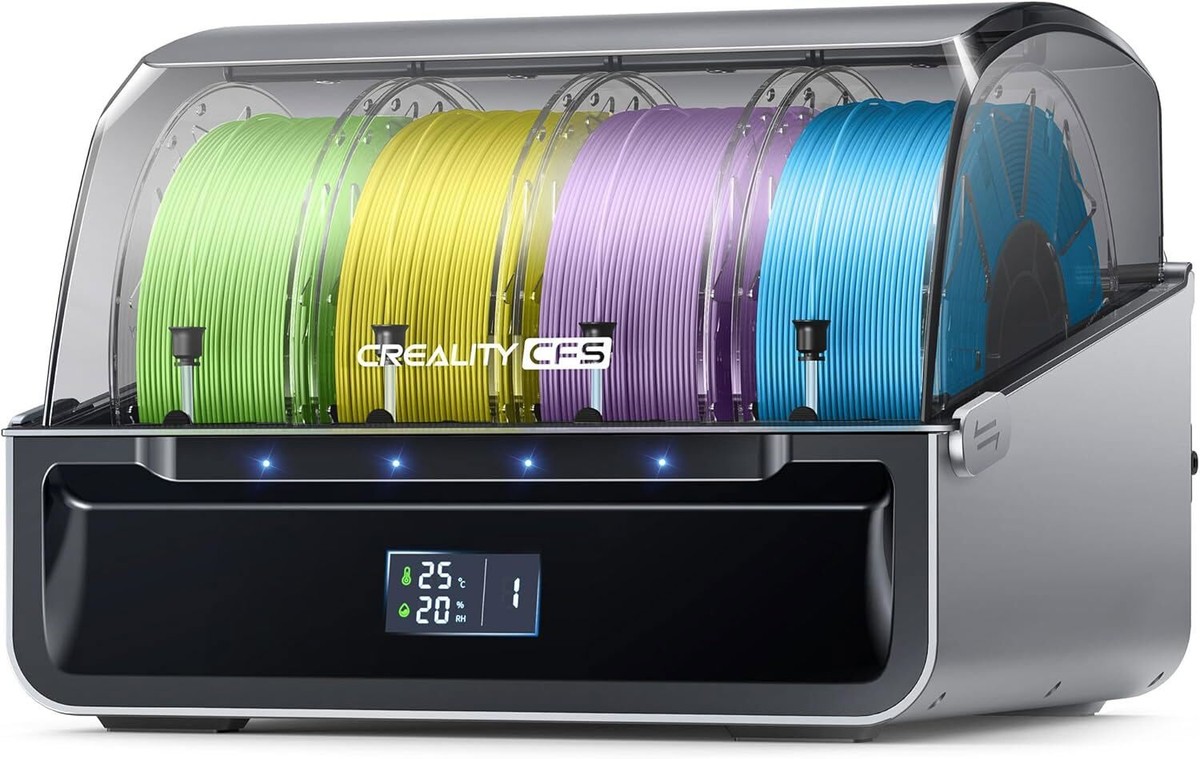
Creality CFS Filament System 16 Color Printing for K2 Plus Multi Color Printing
Bonus: The K2 SE’s Creality OS includes intelligent multi-filament management, expert mode, and Fluidd UI support — features the K1 SE simply doesn’t offer.
Extruder, Nozzle, and Reliability Features
- Both: Direct-drive extruders, 0.4 mm nozzles, ≤300 °C hotend, ≤100 °C bed (epoxy resin/steel plate).
- K2 SE: Modular quick-swap nozzle, hardened steel dual-gear drive, easier maintenance.
- K1 SE: Steel-tipped nozzle integrated with heatbreak — durable but less convenient for swaps.
Leveling: Both use auto-leveling, but the K2 SE’s smart system probes only the exact area needed for your model, shaving minutes off setup. The K2 SE also adds power-loss recovery, partial failure handling (skip one failed model in a batch), built-in lighting, and an air purifier for cleaner operation.
Setup time is a standout: the K2 SE is truly 5-minute ready — remove three screws, attach the touchscreen and spool holder, and follow the on-screen guide. The K1 SE requires more traditional assembly.
Verdict: The K2 SE is more “set-it-and-forget-it” reliable for everyday users.
Software and Connectivity: Modern Ecosystem on the K2 SE
Both printers run Creality Print slicer and integrate with Creality Cloud for remote monitoring and model libraries. However, the K2 SE runs the evolved Creality OS with native multi-filament control, root access, and LAN multi-printer support. It also includes 8 GB eMMC storage, Wi-Fi/USB transfer, and optional AI Camera for failure detection and time-lapses.
The K1 SE offers solid connectivity (USB/Wi-Fi, 8 GB storage) but lacks the advanced multi-color intelligence.
Technical Specifications Side-by-Side
| Feature | Creality K1 SE | Creality K2 SE | Winner |
|---|---|---|---|
| Frame | Open CoreXY | Open CoreXY (die-cast aluminum) | K2 SE |
| Build Volume | 220×220×250 mm | 220×215×245 mm | Tie |
| Max Speed | 600 mm/s | 500 mm/s (better quality at speed) | K1 SE (raw) / K2 SE (real-world) |
| Acceleration | 20,000 mm/s² | 20,000 mm/s² | Tie |
| Multicolor Support | No (single only) | Up to 16 colors with CFS | K2 SE |
| Extruder | Direct drive | Modular direct drive + quick-swap | K2 SE |
| Leveling | Auto | Smart auto (area-only) | K2 SE |
| Screen | 4.3″ color touchscreen | 3.97″ color touchscreen | K1 SE (size) |
| Weight | ~10.24–14.84 kg | 10.58 kg | K2 SE (lighter) |
| Power | ~350W (similar) | 350W | Tie |
| Filaments | PLA, PETG, TPU, Hyper PLA | PLA, PETG, TPU 95A, PLA-CF + CFS extras | K2 SE |
| Setup Time | Standard assembly | 5 minutes | K2 SE |
| Price Positioning | Budget high-speed | Budget multicolor high-speed | K2 SE (value) |
What Makes the Creality K2 SE a Great Buy in 2026?
- Future-Proof Multicolor at an Affordable Price For the first time, hobbyists and small businesses can get professional 16-color printing without buying an expensive enclosed machine or dealing with manual swaps. The CFS system turns the K2 SE into a true multicolor powerhouse — perfect for custom toys, prototypes, signage, and artistic models.
- Blazing Speed with Real-World Quality Thanks to input shaping and the reinforced frame, the K2 SE delivers smooth, high-speed prints that rival more expensive printers. You get 3DBenchy-level results in minutes without the usual ringing artifacts.
- Beginner-Friendly with Pro Features 5-minute setup, smart leveling, power-loss recovery, and intuitive Creality OS make it accessible for newcomers while offering root access and expert mode for tinkerers.
- Excellent Value and Low Running Costs At its price point, the K2 SE offers more features (multicolor readiness, better vibration control, modular extruder) than the K1 SE. Optional AI Camera and RFID filaments keep costs low while expanding capabilities.
- Versatile for Real Users
- Hobbyists & Makers: Vibrant figurines and gifts in minutes.
- Educators: Classroom-friendly with easy monitoring and quick results.
- Small Businesses: Custom prototypes and multi-color products without downtime.
- Upgraders: Start simple, add CFS later for 16 colors.
The K1 SE is still excellent for pure speed and single-color reliability — but if you ever want color variety, you’ll outgrow it fast. The K2 SE grows with you.
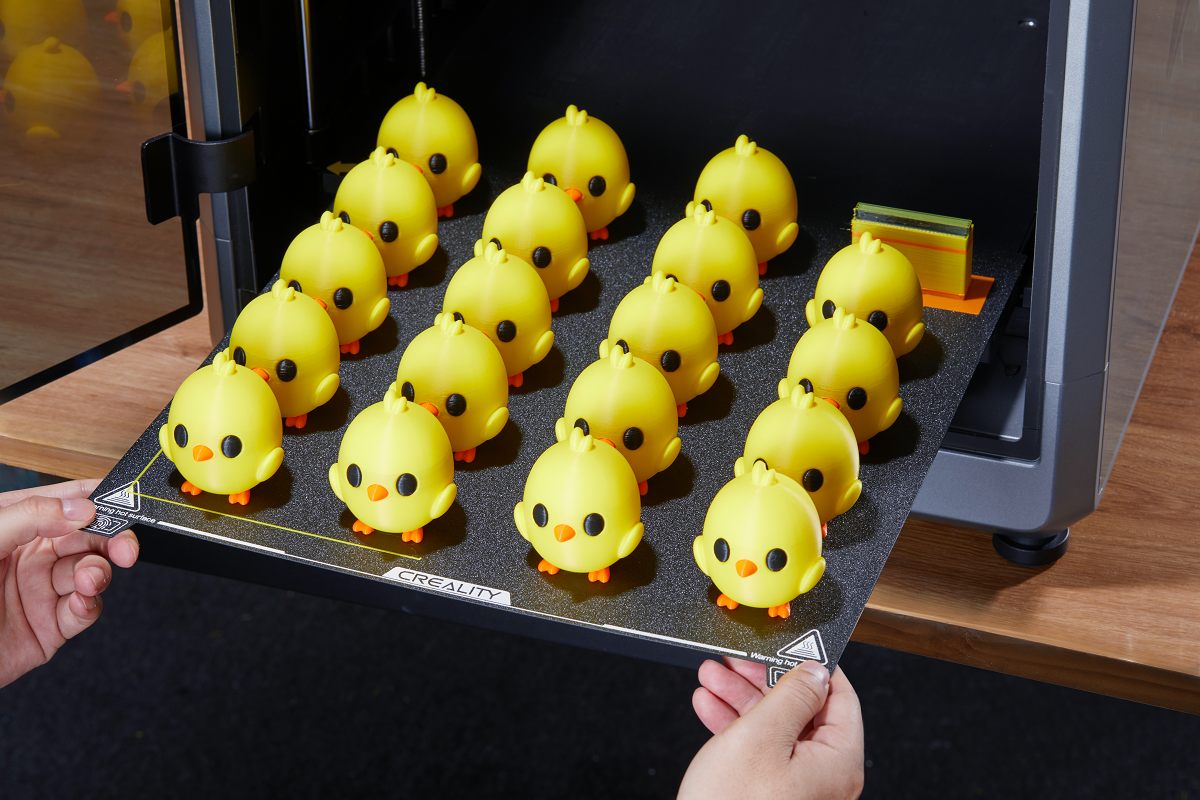
Creality K2 Plus Combo: The All-in-One Solution for Versatile 3D Printing
Who Should Buy the K2 SE?
Choose the K2 SE if you want multicolor capability, smoother high-speed prints, easier daily use, and future-proofing. It’s the smarter long-term investment for anyone who prints more than basic single-color models.
Stick with the K1 SE only if you print exclusively single-color, need every last mm of build volume, and want the absolute fastest raw speed on a tight budget.
Final Verdict: K2 SE is the Clear Winner for Most Users
The Creality K2 SE vs K1 SE battle is close on paper, but the K2 SE wins overall thanks to its multicolor ecosystem, refined frame, smarter features, and effortless workflow. It delivers everything the K1 SE does — plus the ability to create stunning, professional-looking multi-color prints without frustration.
In 2026, the K2 SE represents the best balance of speed, simplicity, and creative freedom at an accessible price. Whether you’re upgrading from an older Ender or buying your first high-speed printer, the K2 SE is the one that will keep you excited about 3D printing for years to come.
Ready to bring vibrant, high-speed printing to your workspace? The Creality K2 SE (and optional CFS Combo) is available now — add it to your cart and start creating in full color today!